Generate with Copilot
Important
This feature is only available for Microsoft Dynamics 365 Business Central online/cloud/SaaS deployments, and not for on-premises deployments.
It is possible to describe in natural language which fields, tiles and/or headlines you want and have them automatically generated by the Add Definitions with Copilot action.
To use Copilot to generate a custom (data) field, calculated field, role center tile or headline, click on the Copilot icon from one of the setup pages and invoke the Add custom field/headline/tile definitions action.
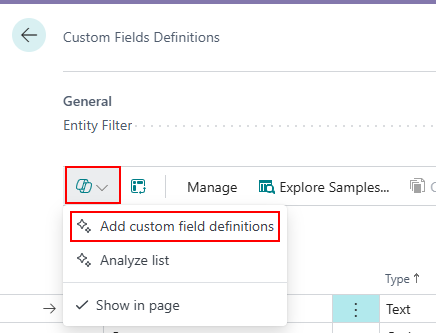
Note
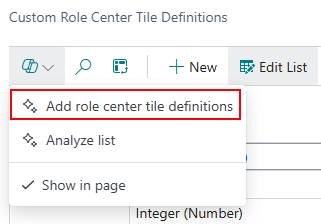
When you use the Custom Role Center Tile Definitions page, there is also a corresponding Copilot action for generating a Custom Role Center Tile Definition:
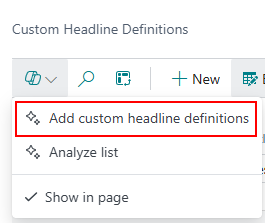
When you use the Custom Headline Definitions page, there is also a corresponding Copilot action for generating a Custom Headline Definition:
In the Copilot prompt window it is possible to describe the custom field, calculated field, role center tile or headline you want to configure, but it is also possible to use sample prompts using the Prompt guide, for example for a Calculated page field:
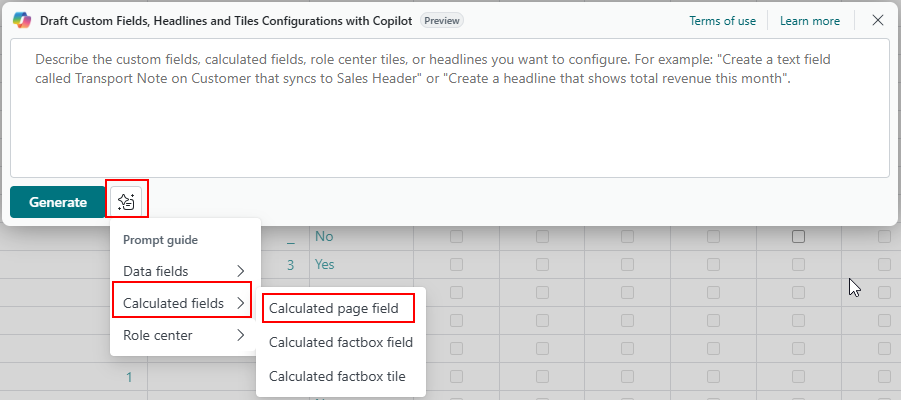
When you use one of the samples from the prompt guide, the prompt will be filled in automatically:
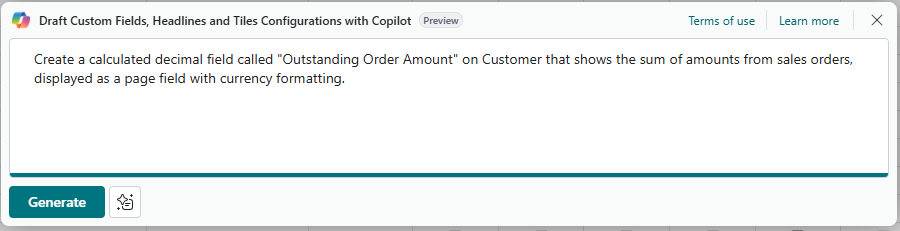
When you click Generate, Copilot is going to generate the custom field/headline/tile, and related records like a Calculation with a Filter Set. When ready, you will get a Proposed Configurations overview where you can click Keep it to actually apply the new definition:
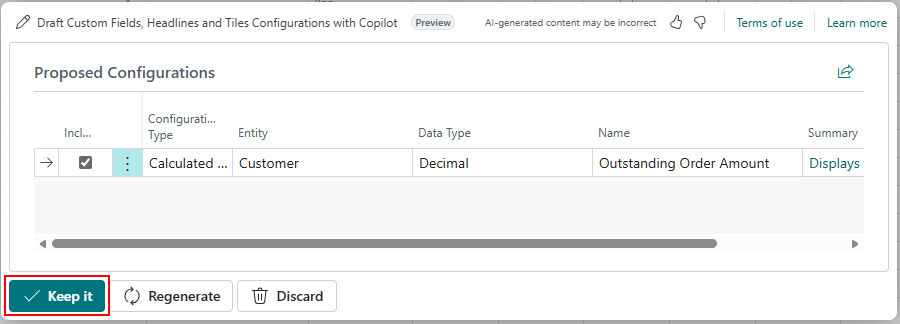
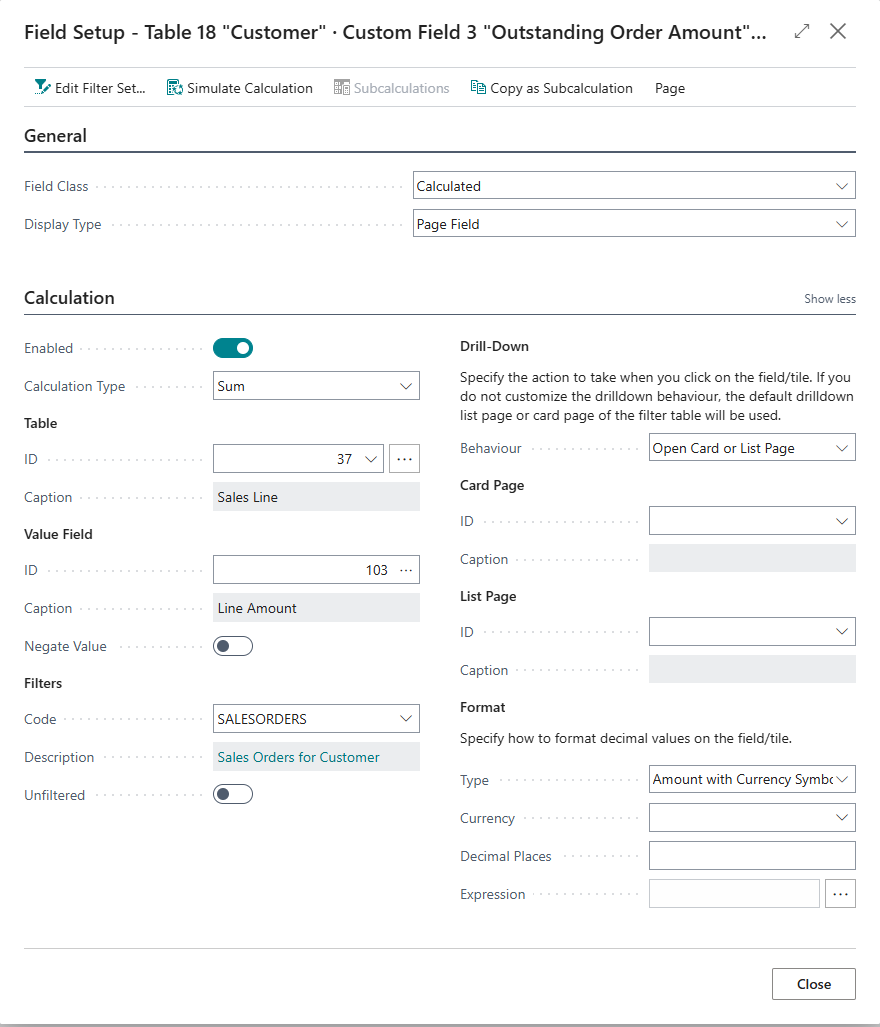
The new definition will have been created.
You can check its definition to see in more detail what Copilot suggested and adjust it where needed:
Prompt Language
Prompts can be in different languages.
Copilot will automatically be instructed to make the definitions in English and add translations for the user's current language.
Microsoft Copilot Licensing
Please note that the use of this feature is subject to the Microsoft Copilot licensing and requires Copilot credits (some of which may be automatically available with your Microsoft licenses). When there are insufficient credits left, an error message will appear when you try to invoke the Generate action (just like for any other Microsoft Copilot-dependent functionality).